 Home
Download
Buy Now
Demo Video
Features
FAQ
What's New
Upgrading
Help
About Us
Contact
Home
Download
Buy Now
Demo Video
Features
FAQ
What's New
Upgrading
Help
About Us
Contact




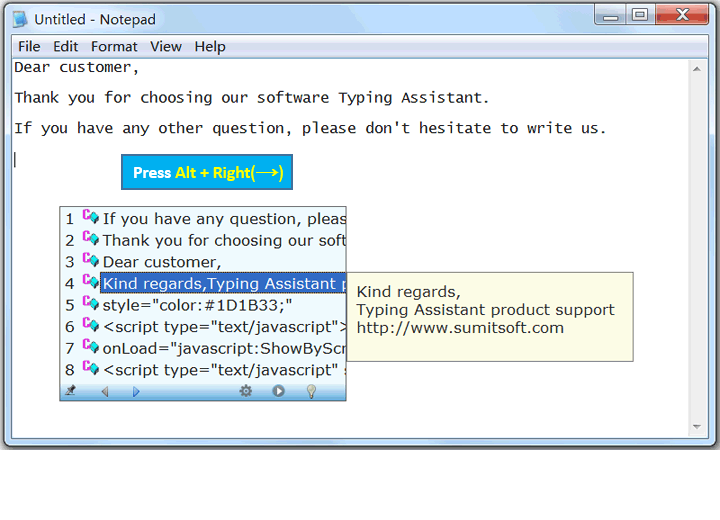
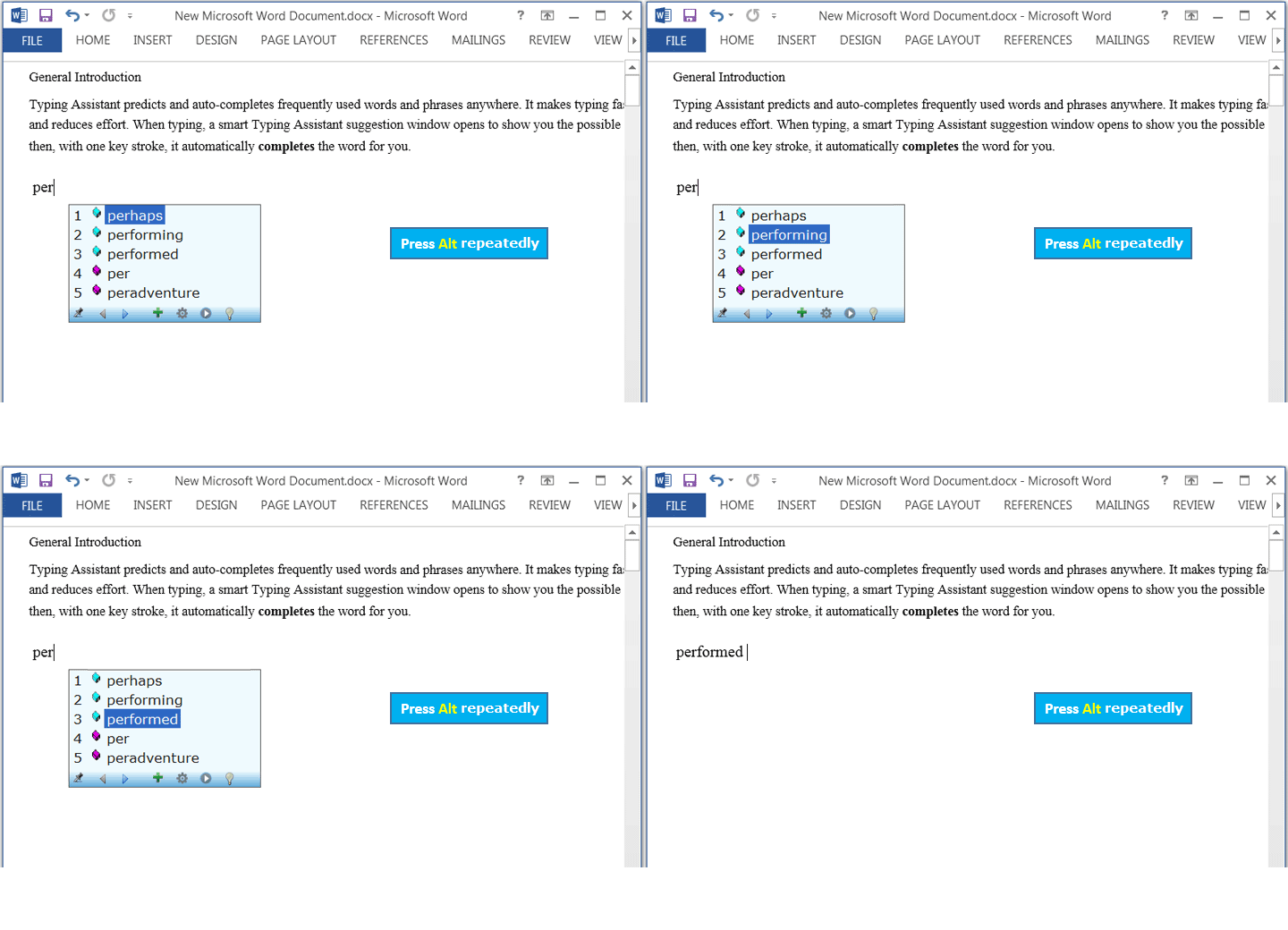
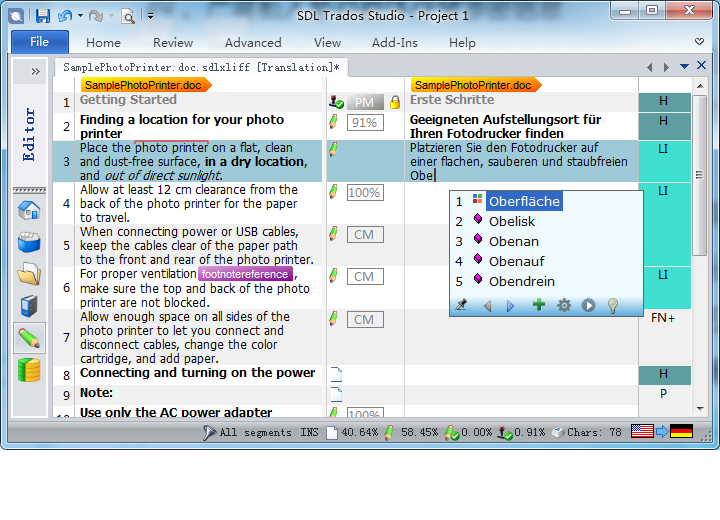
 Predicts and auto-completes words and phrases that you intended to type anywhere.
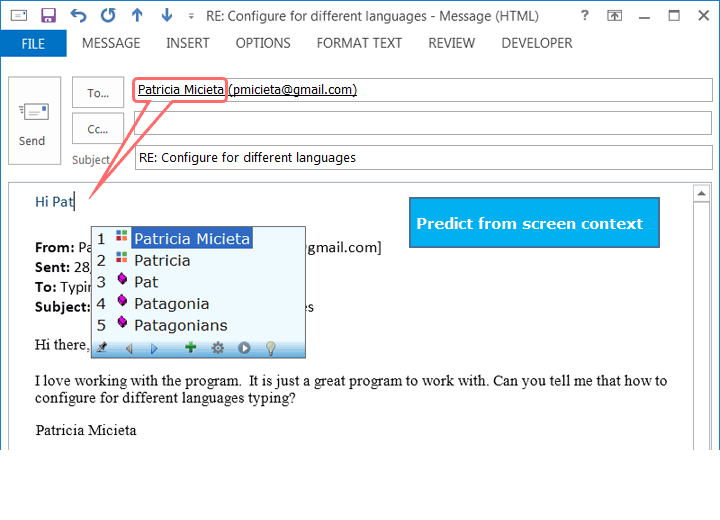
Works by analyzing screen context and your typing history.
Powered by AI's NLP(Natural Language Processing) technique.
Makes typing faster, more intelligent and reduces effort.
Predicts and auto-completes words and phrases that you intended to type anywhere.
Works by analyzing screen context and your typing history.
Powered by AI's NLP(Natural Language Processing) technique.
Makes typing faster, more intelligent and reduces effort.
|
 Universal Compatibility:
Works with virtually all programs on MS Windows.
Wide language support:
Supports 50+ languages.
Word Prediction:
Predicts the words you intend to type in
order to speed up your typing and help your spelling.
Auto-Complete:
Completes text input automatically to
save keystrokes.
Auto-Correct:
Corrects spelling mistakes automatically in any program.
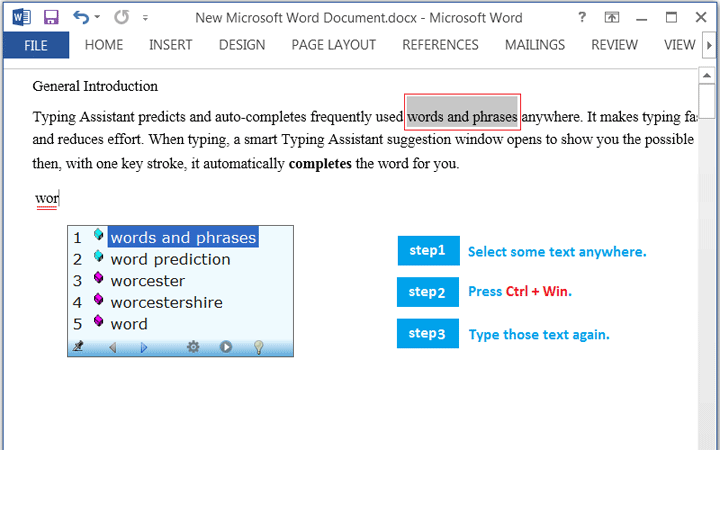
Auto-Screen:
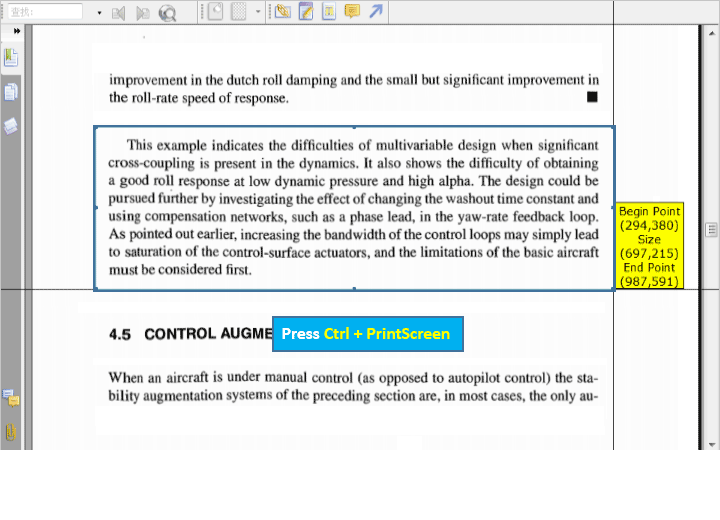
Acquires screen context by OCR to promote prediction accuracy.
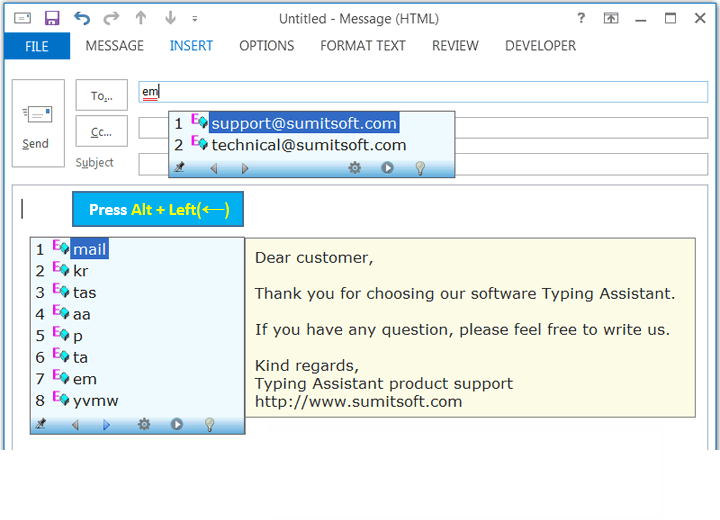
Auto-Expand:
Expands abbreviations to full text in any program, like AutoText feature in MS Word.
Auto-Clipboard:
Accesses clipboard history quickly.
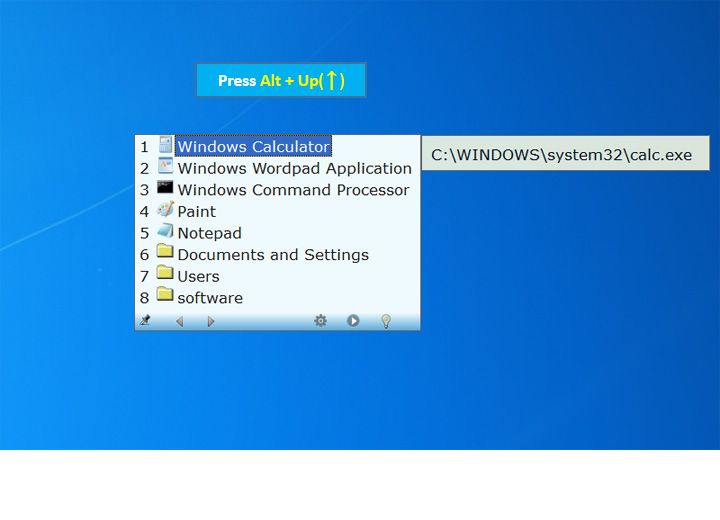
Auto-Launch:
Launches frequently used applications/files/folders conveniently.
Spell Checking:
Beeps on misspelled words.
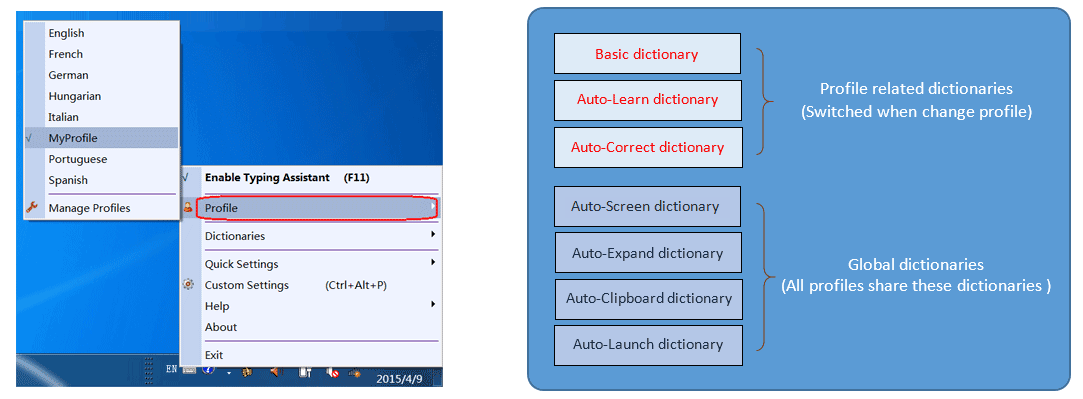
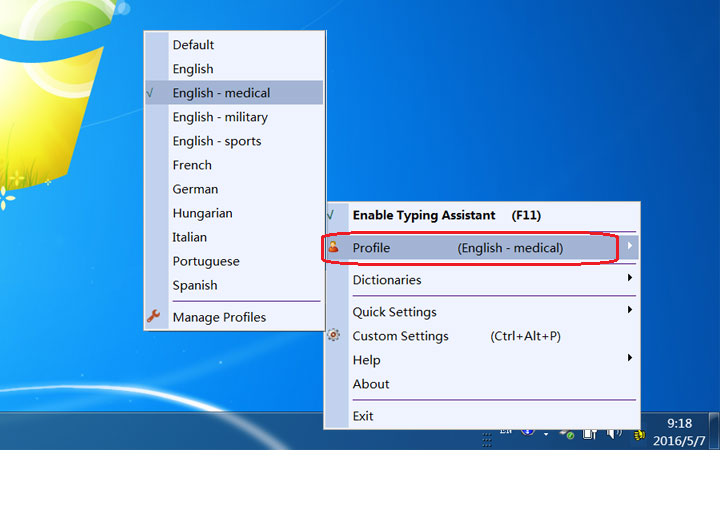
Configurable Profile:
User can switch between profiles for different language typing.
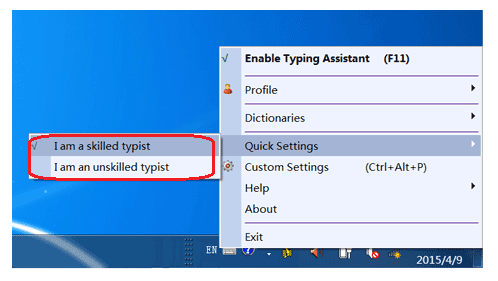
Wide Adaptability:
Quick settings for both fast typist and hunt-and-peck typing.
Security:
Never collects or leaks your information.
Portable Version:
Runs from DropBox or USB stick to keep data synchronization on different computers.
Easy to use:
Use your computer as usual and the whole process is mastered in 5 minutes.
Typing Assistant has two running modes: Skilled Typist Mode and Unskilled Typist Mode. Click here to see how to switch between them.
Universal Compatibility:
Works with virtually all programs on MS Windows.
Wide language support:
Supports 50+ languages.
Word Prediction:
Predicts the words you intend to type in
order to speed up your typing and help your spelling.
Auto-Complete:
Completes text input automatically to
save keystrokes.
Auto-Correct:
Corrects spelling mistakes automatically in any program.
Auto-Screen:
Acquires screen context by OCR to promote prediction accuracy.
Auto-Expand:
Expands abbreviations to full text in any program, like AutoText feature in MS Word.
Auto-Clipboard:
Accesses clipboard history quickly.
Auto-Launch:
Launches frequently used applications/files/folders conveniently.
Spell Checking:
Beeps on misspelled words.
Configurable Profile:
User can switch between profiles for different language typing.
Wide Adaptability:
Quick settings for both fast typist and hunt-and-peck typing.
Security:
Never collects or leaks your information.
Portable Version:
Runs from DropBox or USB stick to keep data synchronization on different computers.
Easy to use:
Use your computer as usual and the whole process is mastered in 5 minutes.
Typing Assistant has two running modes: Skilled Typist Mode and Unskilled Typist Mode. Click here to see how to switch between them.
 For users such as translators, typists, secretaries, journalists, authors, writers, document creators, programmers, etc.
 For users such as students with spelling challenges, foreign language beginners, people with physical disability, etc.
Configure Profile for different language typing. Click here to see how to switch the profile.
For users such as students with spelling challenges, foreign language beginners, people with physical disability, etc.
Configure Profile for different language typing. Click here to see how to switch the profile.